.png?width=210&height=44&name=Design%20ohne%20Titel%20(2).png)
1️⃣ The label is still in use
A label can only be deleted if it is no longer linked to any entries.
This means:
-
The label is still being used in absences and time entries.
-
Please check and make sure you have removed the label from all entries.
📌 Tip: Use the Report feature for a clear overview
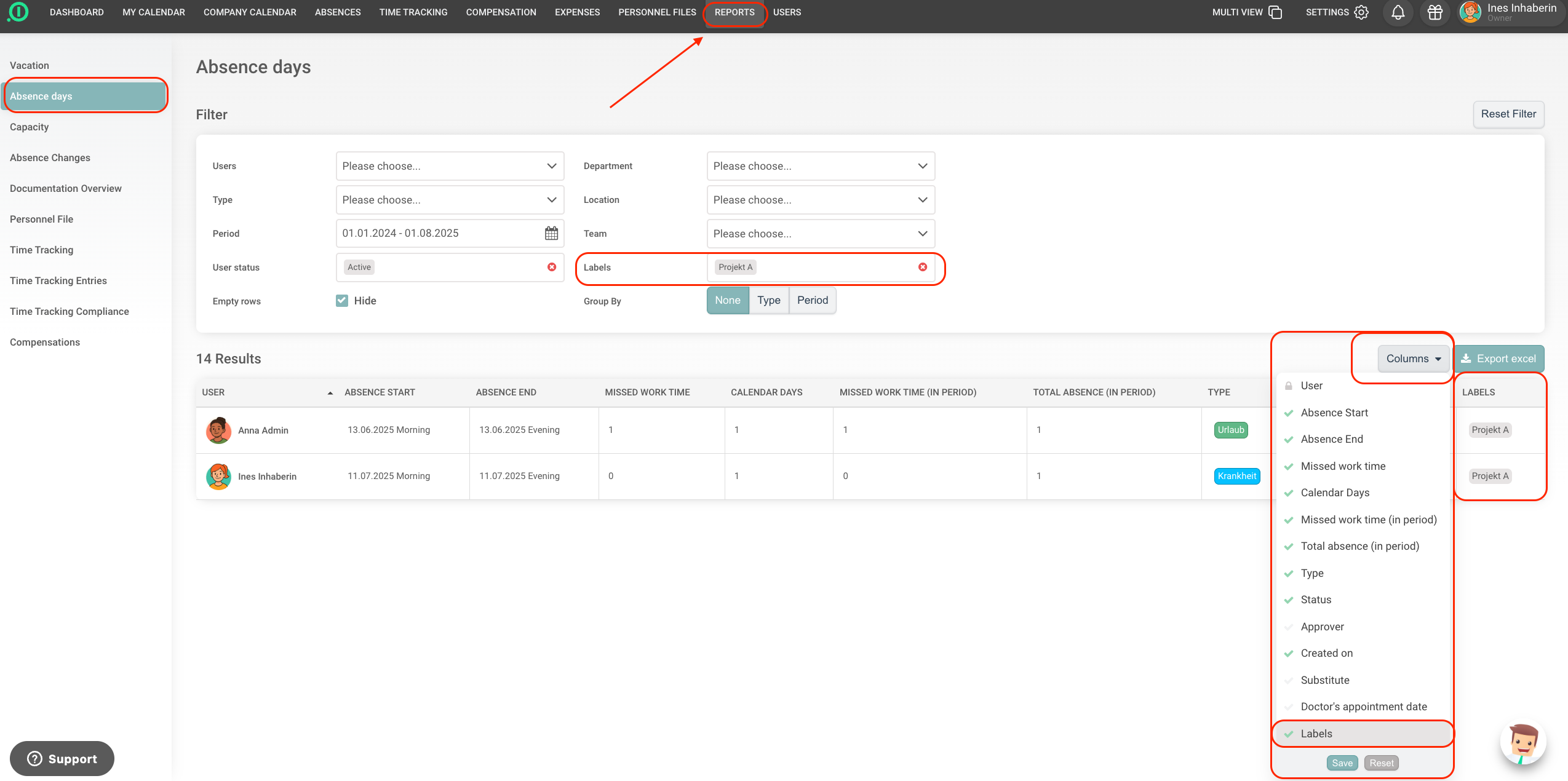
To identify all entries using a specific label, we recommend working with the Report function.
Here’s how to do it:
-
Choose the correct report type
Depending on where the label is being used, open the relevant report:-
Absences (if the label was used in absences)
-
Time Tracking (if the label was used in time entries)
-
-
Select the appropriate time range
To capture all relevant data, we recommend selecting the time range starting from when you first started using absence.io. -
Filter by label
Use the filter option to search for the specific label you want to review. -
Add the label as a column
Go to the “Columns” setting and add the label as an additional column to display it clearly in the report. -
Manually remove the label
You’ll now see a clear overview of all related entries. Open each entry in the calendar or time tracking and manually remove the label.
2️⃣ You don’t have the necessary permissions
Only certain roles (e.g. Admins or Account Owners) are allowed to delete labels.
✅ Once the label is no longer in use and you have the required permissions, you will be able to delete it.
Enjoy using our solution!
Your absence.io Team