.png?width=210&height=44&name=Design%20ohne%20Titel%20(2).png)
You’ve entered an absence, but it isn’t displayed in the calendar or in time tracking? Don’t worry, in most cases the absence hasn’t disappeared, a filter is simply set.
What’s the reason?
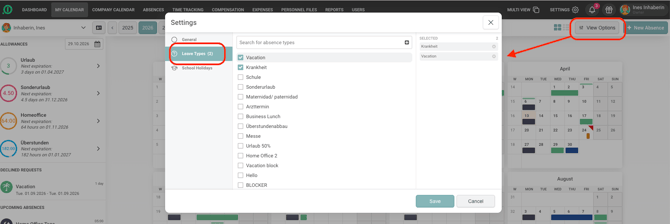
In the calendar and in time tracking you can choose which leave types should be displayed. If specific types are selected, all others are hidden. If nothing is selected, all leave types are displayed.
How to check whether a filter is set:
- Open My Calendar (or your time tracking).
- Click View Options at the top right.
- Click Leave Types and check whether anything is selected.
- If specific types are selected, remove the selection and click Save. All absences will then be displayed again.
Enjoy our solution!
Your absence.io Team