.png?width=210&height=44&name=Design%20ohne%20Titel%20(2).png)
Do you want to customize the Employee Questionnaire to fit your company’s needs?
No problem! In absence.io, you can decide which fields are displayed and how they are labeled.
👁️🗨️ Show or hide fields
Not all information is relevant for every organization. That’s why you can easily hide specific fields in the Employee Questionnaire. Go to: Settings → Employee Questionnaire
Click on the desired field – a panel will open on the right-hand side where you can toggle the field on or off.
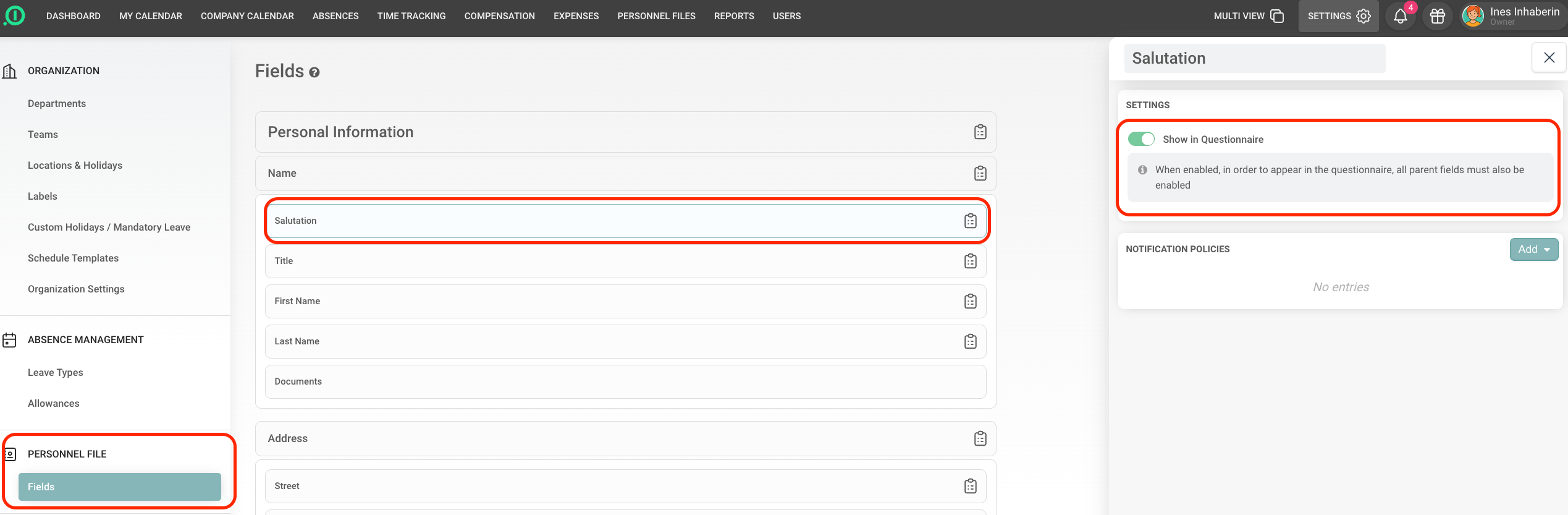
Hidden fields will no longer appear in the questionnaire for new employees. You can recognize which fields are part of the questionnaire by this questionnaire icon.

✏️ Customize field names individually
Do you need different terms for your internal processes? No problem!
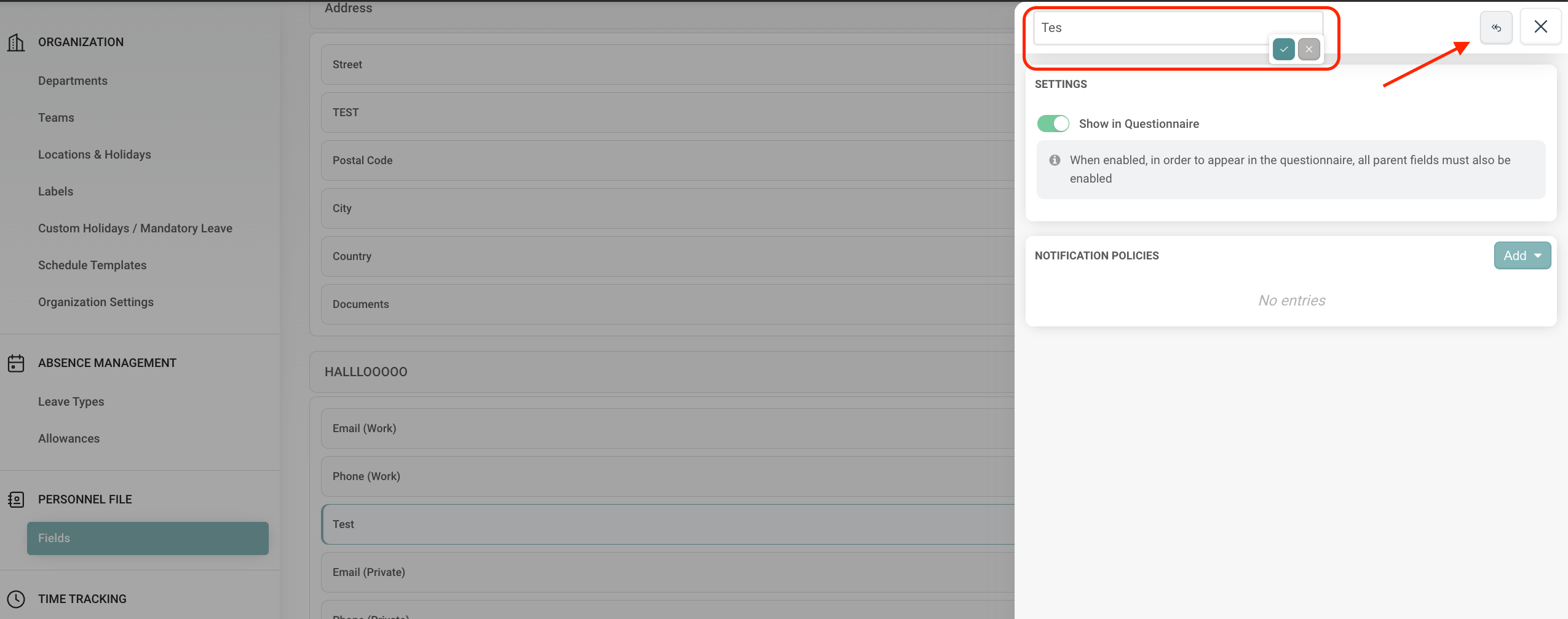
All field names can be renamed individually. For example, instead of “Hobbies,” you’d prefer to display “TEST”? Simply enter the term you want. If you want to remove a custom name and revert to the original, you can easily do so. Just click the “Reset” icon next to the field name. The original term will be restored automatically.
🔒 Mark fields as mandatory
Want to make sure your employees fill in the most important fields? No problem!
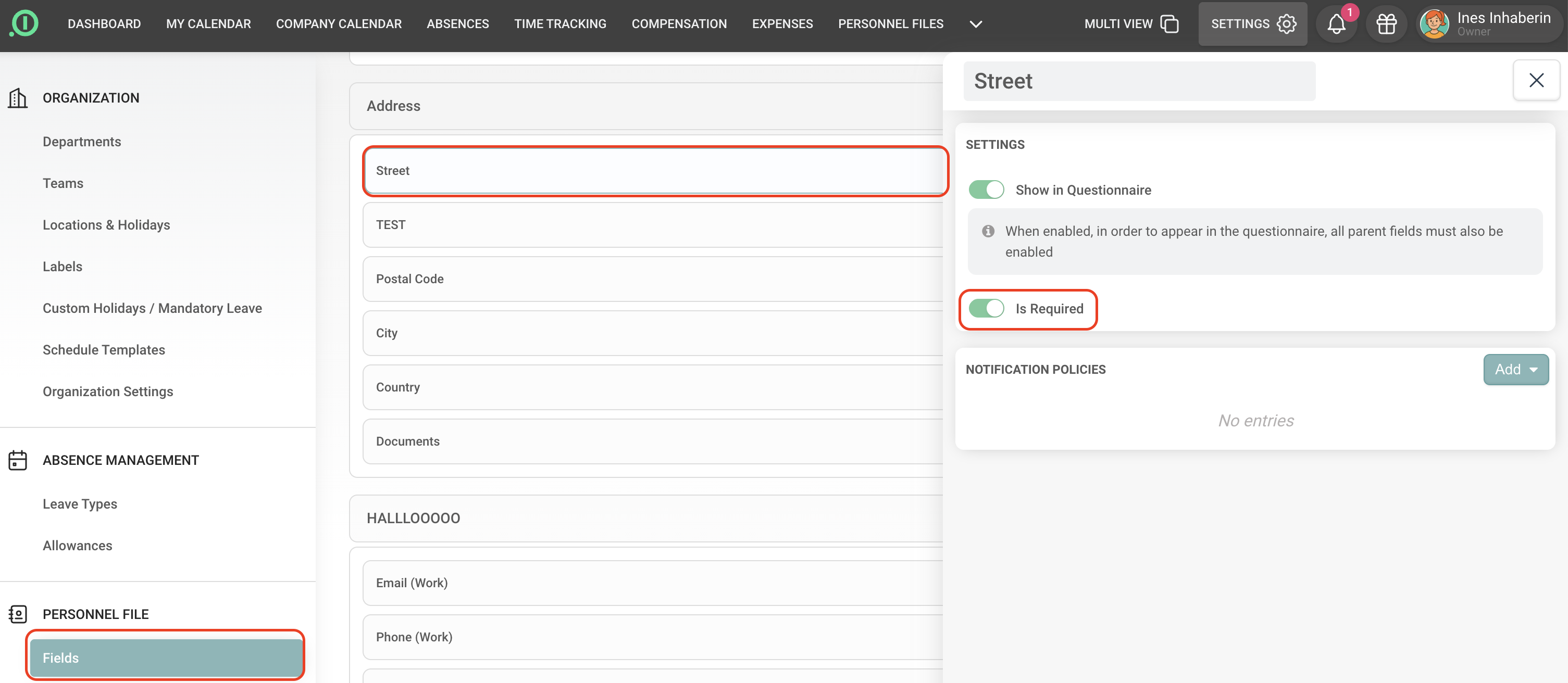
When you select a specific field, you can easily mark it as mandatory by activating “Is Required” toggle.
Have fun using our solution!
Your Team from absence.io