.png?width=210&height=44&name=Design%20ohne%20Titel%20(2).png)
This feature is useful for example if you want to add receipt images, submit another user’s reports or to approve other people’s reports as this user. If your organisation has granted you permission to act as proxy for another user in the service, you can easily switch to that user by following the steps below
How can I make these settings as an admin?
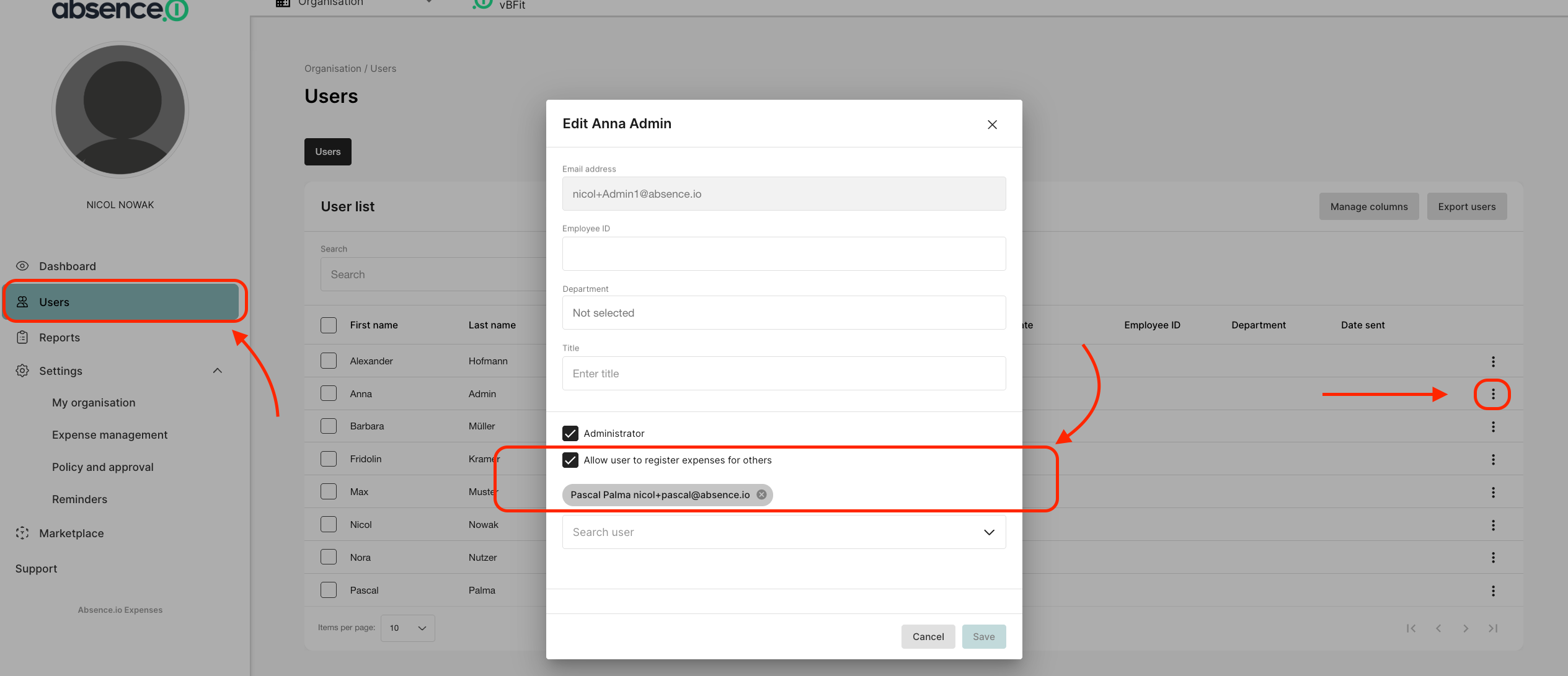
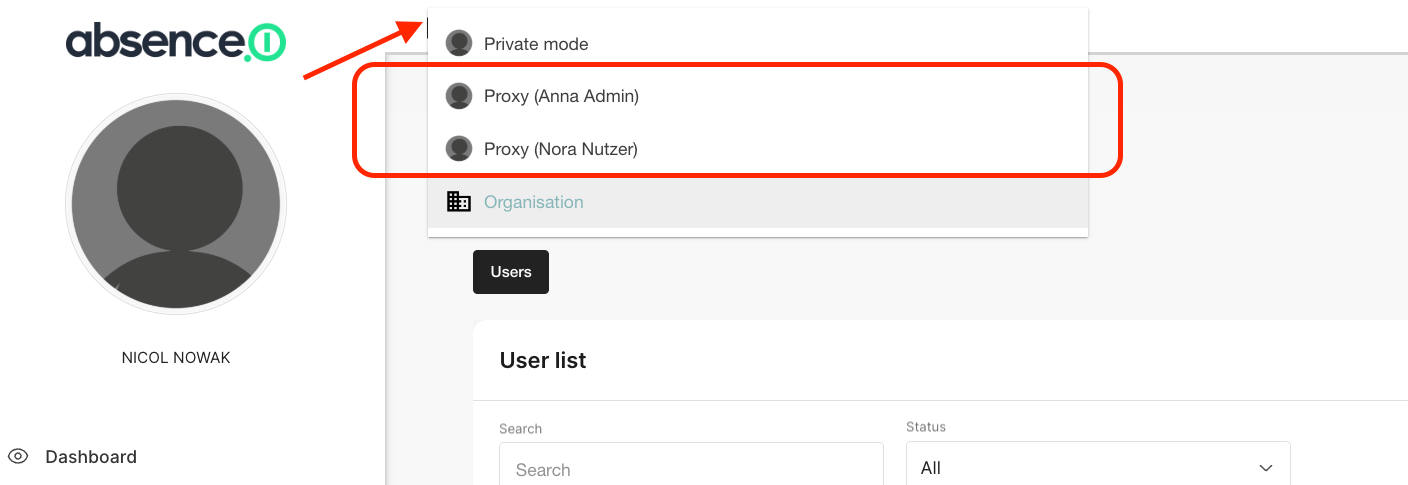
If you want to control who has access to other employees’ accounts and can perform actions on their behalf you can do this via the Admin interface. Go to “Users” and click on the three dots next to the employee’s name. Then, enable the checkbox “Allow user to register expenses for others” and select the person whose account they should have access to. Finally, click “Save.” You can now switch between accounts using the top navigation bar. If the display doesn’t appear right away, close the travel expense module once and open it again.
Have fun using our solution!
Your Team from absence.io