.png?width=210&height=44&name=Design%20ohne%20Titel%20(2).png)
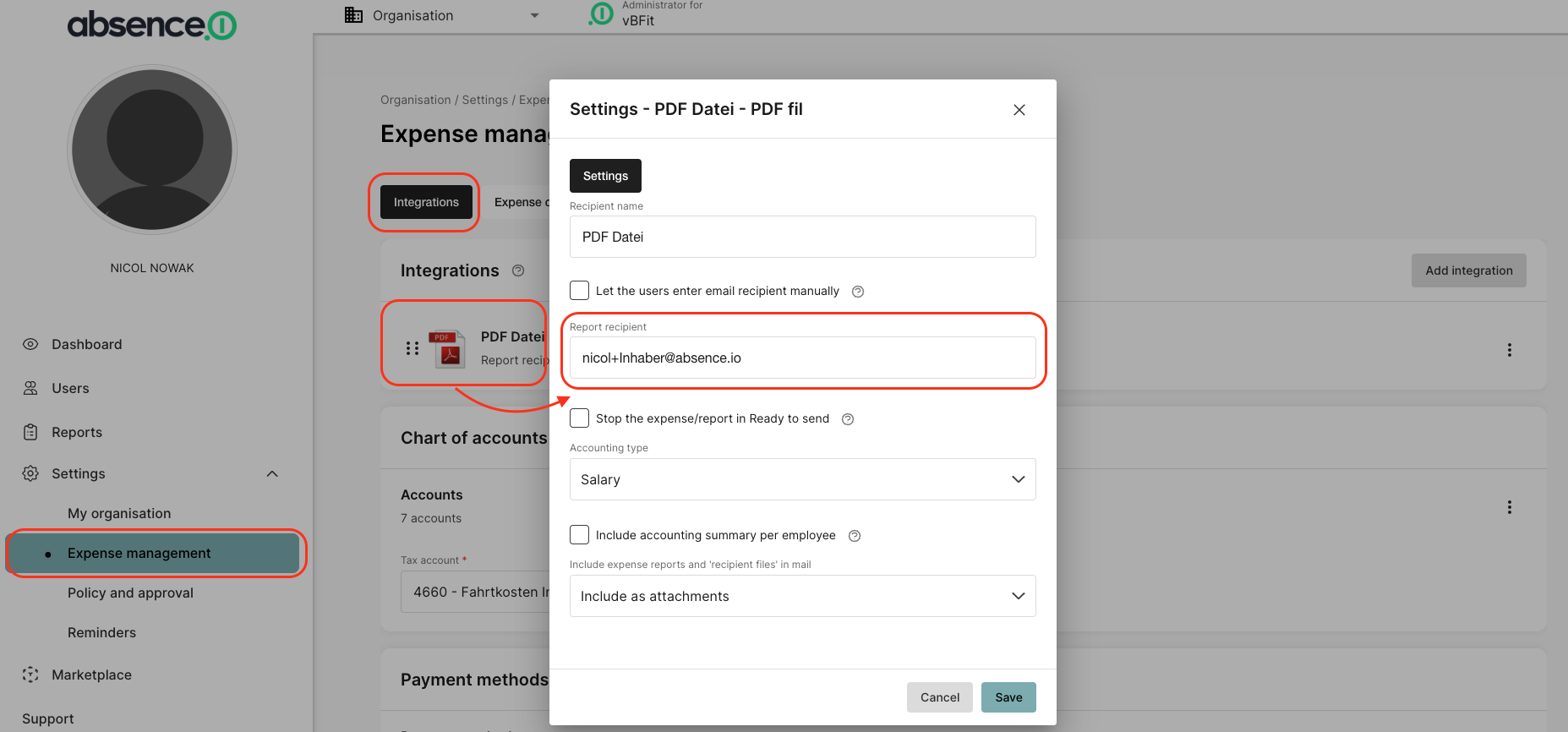
Via the “Expense Management” section in the settings, you can access the desired overview by clicking the “Integrations” tab. There, you’ll see all your connected integrations. If you’d like to define a Report recipient, for example for PDF files, click on “PDF File” and enter the desired email address under “Report recipient.”
Have fun using our solution!
Your Team from absence.io