.png?width=210&height=44&name=Design%20ohne%20Titel%20(2).png)
1. Managing Payment Methods (with Accounting Integration)
If your organization has an active accounting integration, you can set up and manage multiple payment methods.
What are payment methods used for?
Payment methods determine which account should be credited for an expense in your bookkeeping system.
Examples include:
- Corporate Card
- Private Expenses
Each method links to the appropriate account in your accounting integration.
How to Add a Payment Method
- Go to:
Settings → Expense Management → Integrations → Payment Methods - Enter the following:
- Account number or identifier
- Name/Description of the payment method
- Click Save when you're done.
✅ The saved payment methods will be available for all users in your organization.
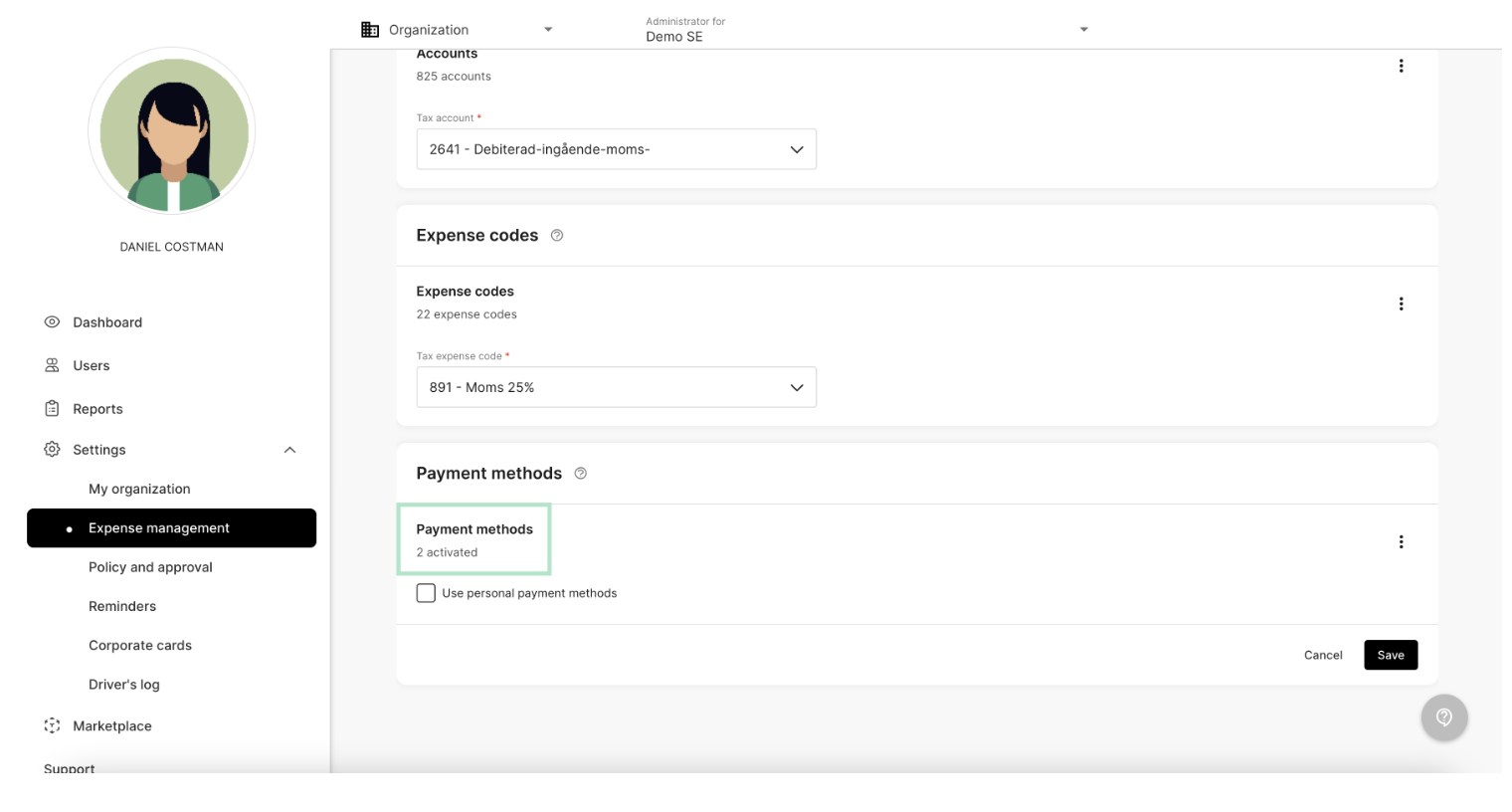
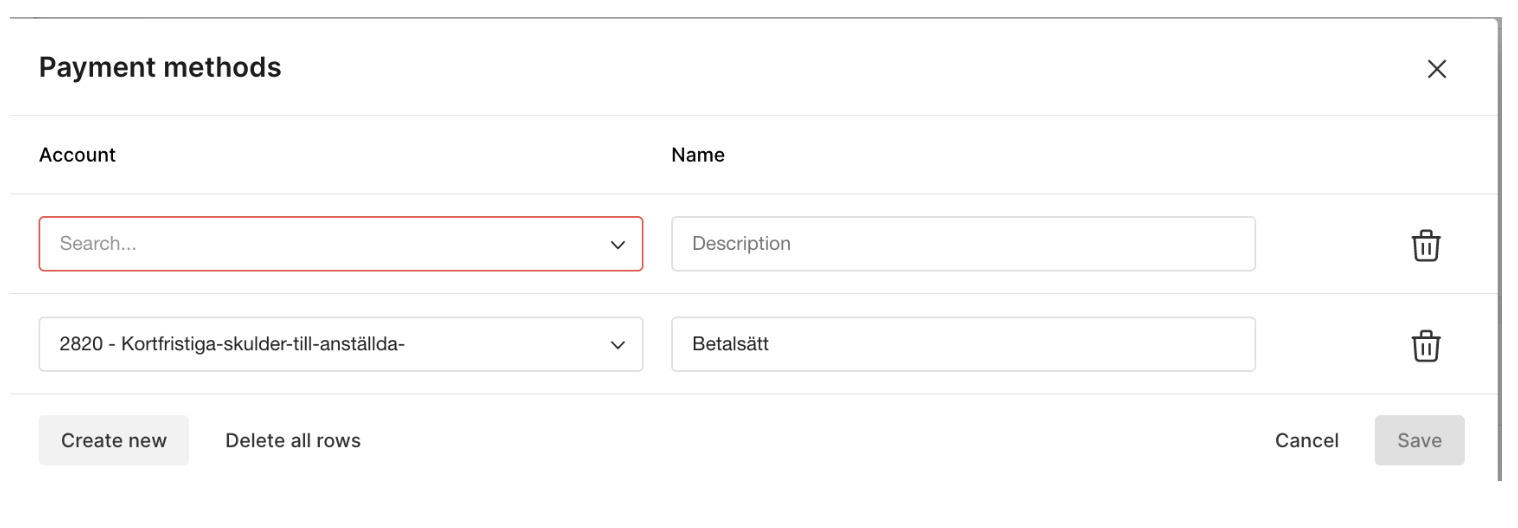
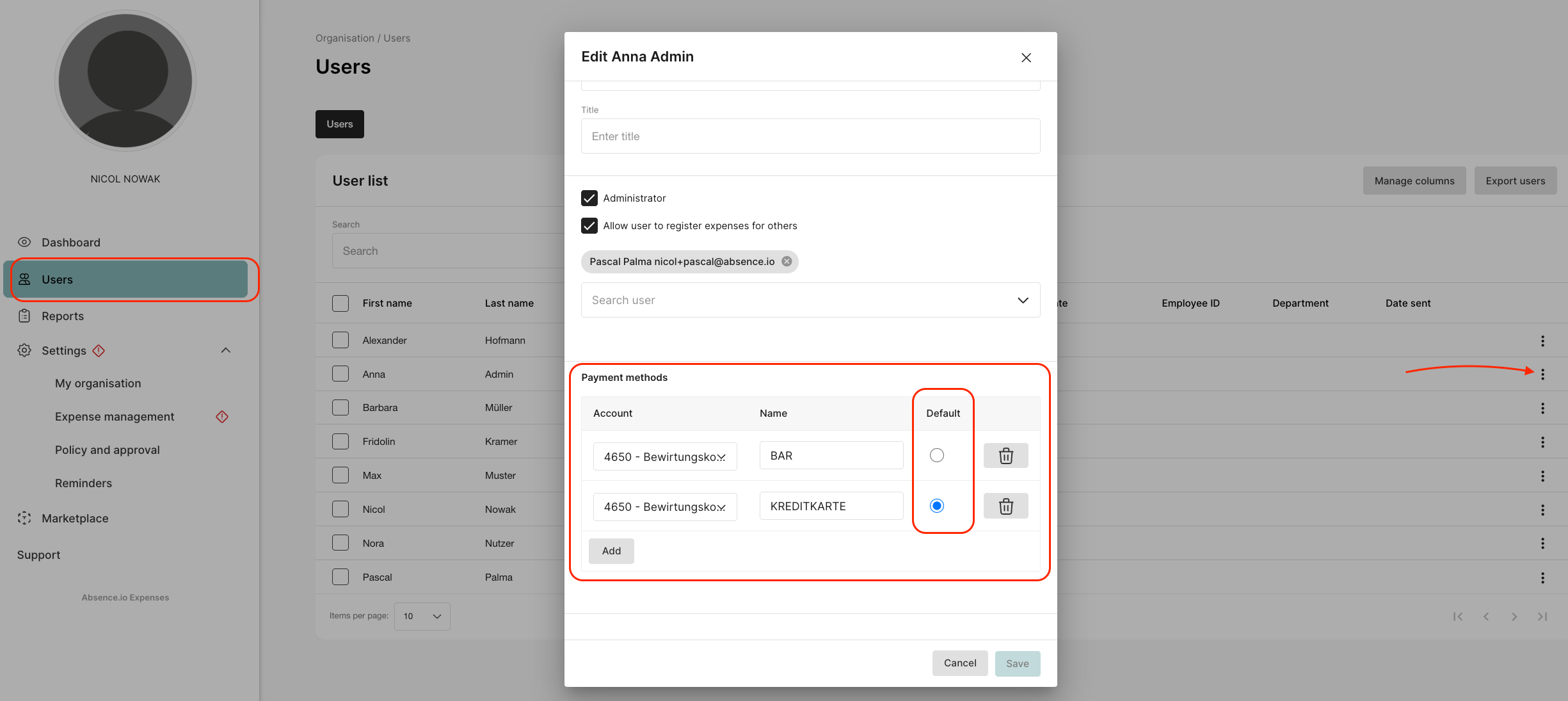
It can also be done to assign specific payment methods to individual users under “Use personal payment methods” (see the first image under the green rectangle). If users have multiple payment methods, a default setting for the user can be defined under “User” and the three dots.
2. How to Delete a Payment Method
- Click the trash icon next to the payment method you want to remove.
- Click Save to confirm the change.
Your absence.io Team