.png?width=210&height=44&name=Design%20ohne%20Titel%20(2).png)
If certain employees should not use the Expenses module and should not be included in the billing, you can manage them specifically via the exclusion list.
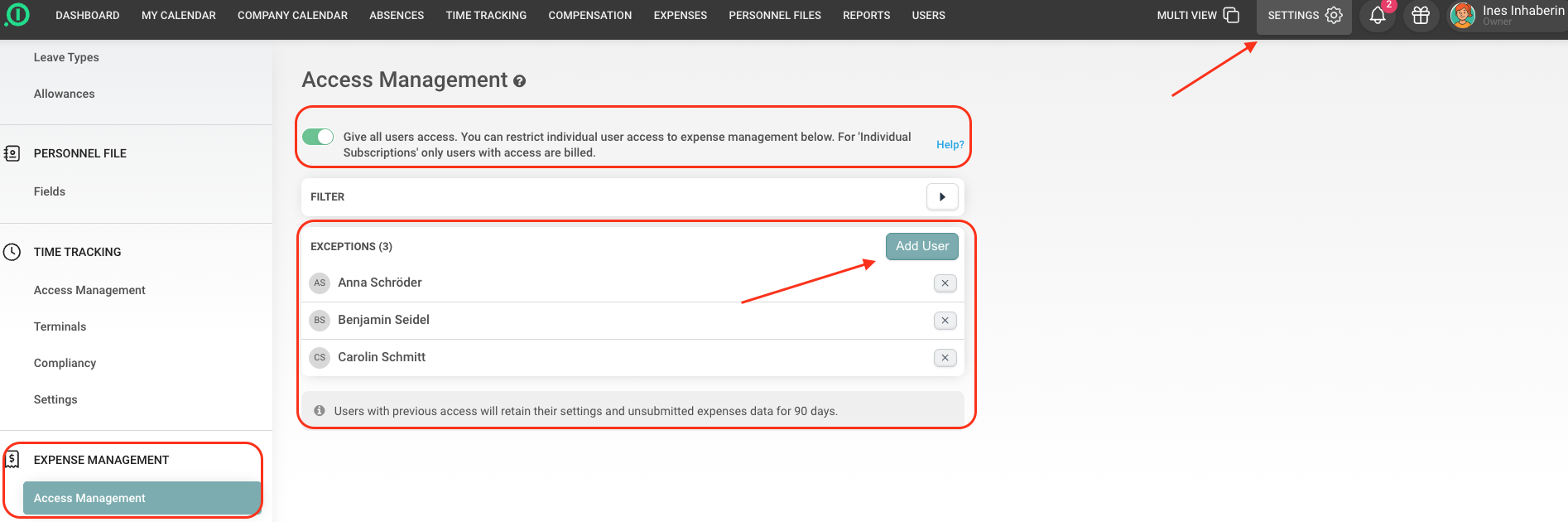
Where can I find the exclusion list?
Go to:
Settings → Expenses → Access Management
There, you will see the toggle: “Give all users access". You can restrict individual user access to expense management below. For 'Individual Subscriptions' only users with access are billed.” Below that, you’ll find the section where you can restrict access for specific users.
How it works
If you want to use the Travel Expenses module, you first need to activate the toggle described above. Then, add all users who should not have access to the Exclusion List.
What happens next?
-
These users won’t see the Travel Expenses menu item in their top navigation.
-
They will not be included in the license billing for the Travel Expenses module.
Enjoy using our solution!
Your team from absence.io