
At absence.io, absences can be set not only daily but also hourly. This is how it works:
To allow hourly absences linked to an allowance, you can use one of your inactive allowances and convert it into an hourly allowance. Only the first allowance is set to days by default, but all others can be changed to hourly.
- Go to the settings and the allowances:
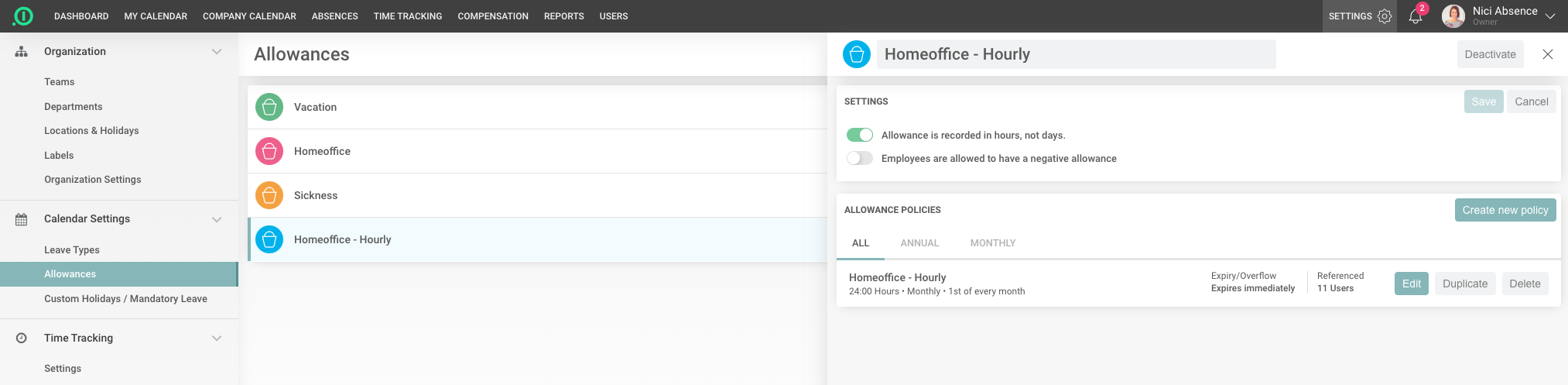
- Open a free allowance, change the name if necessary and activate the toggle that the allowance is recorded in hours and not in days.
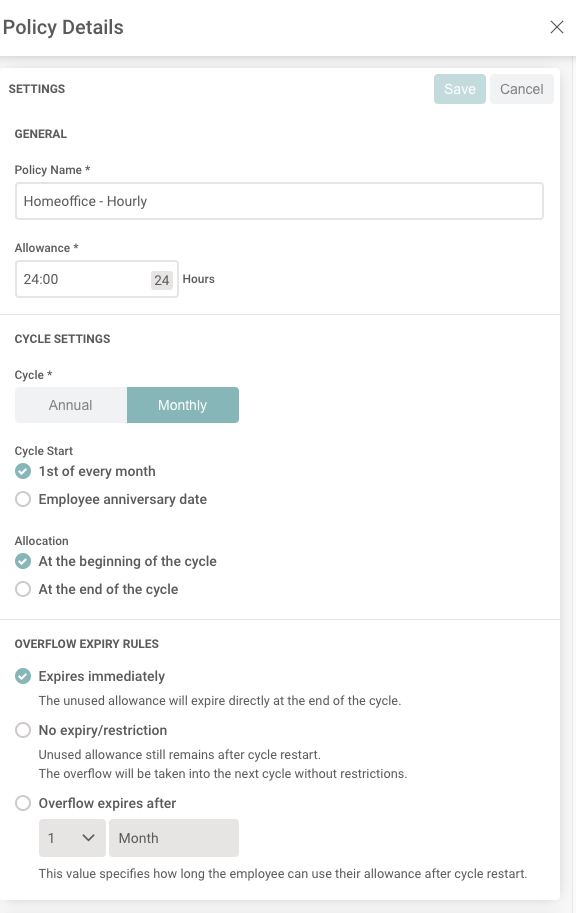
- Create a new policy for your employees. In our example below, we've created a Home Office hourly policy and given each employee 24 hours of Home Office per month:
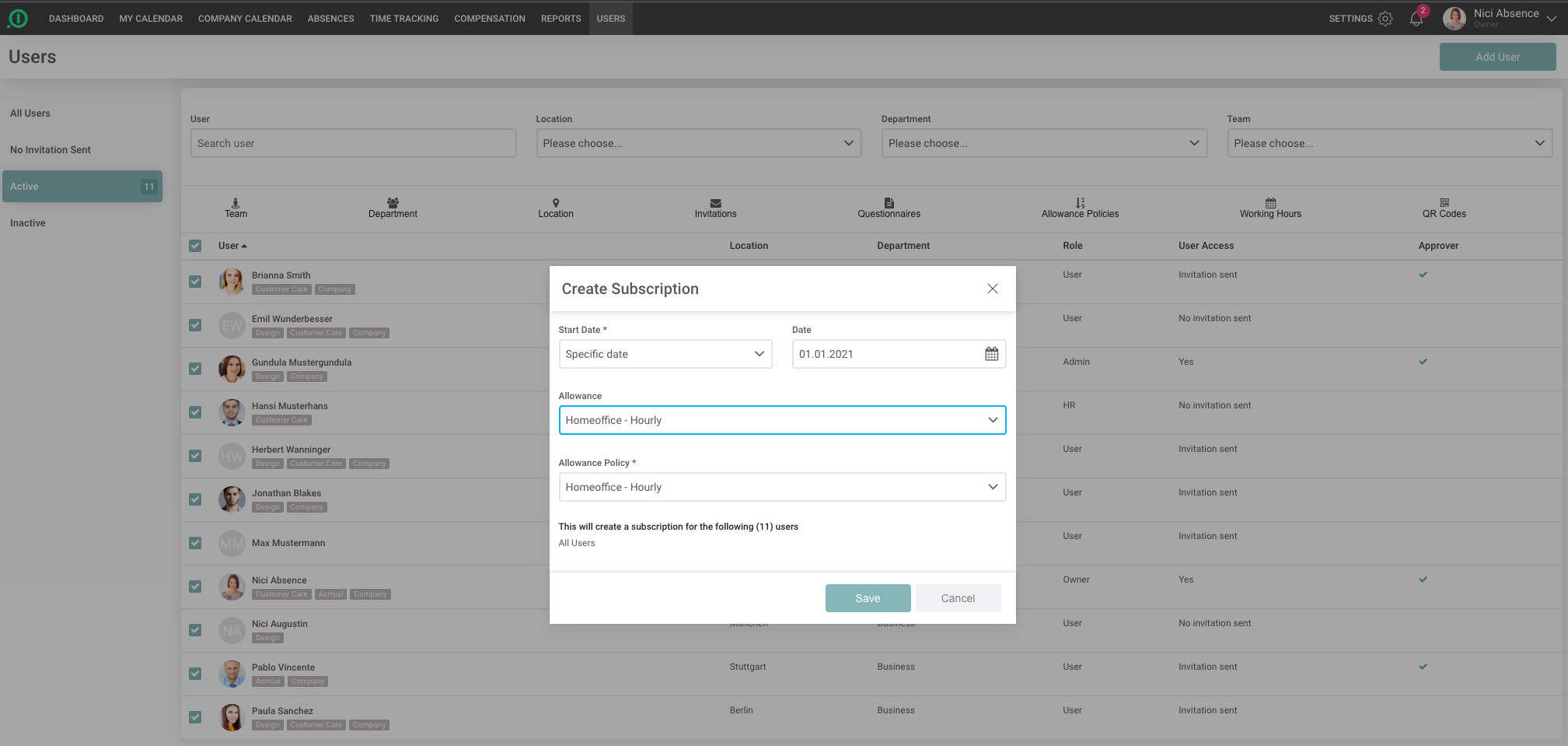
- To use the allowance, it must be assigned to the employees. The fastest way to do this is to use the Users list. Go to the Users list, select all employees and go to the "Allowance Policies" button. This way you can assign the new allowance to all employees at once:
- In order for the Users to be able to use the allowance, we need to create a Leave Type that deducts from this new allowance. To do this, go to the Settings and the Leave Types and create a new Leave Type:
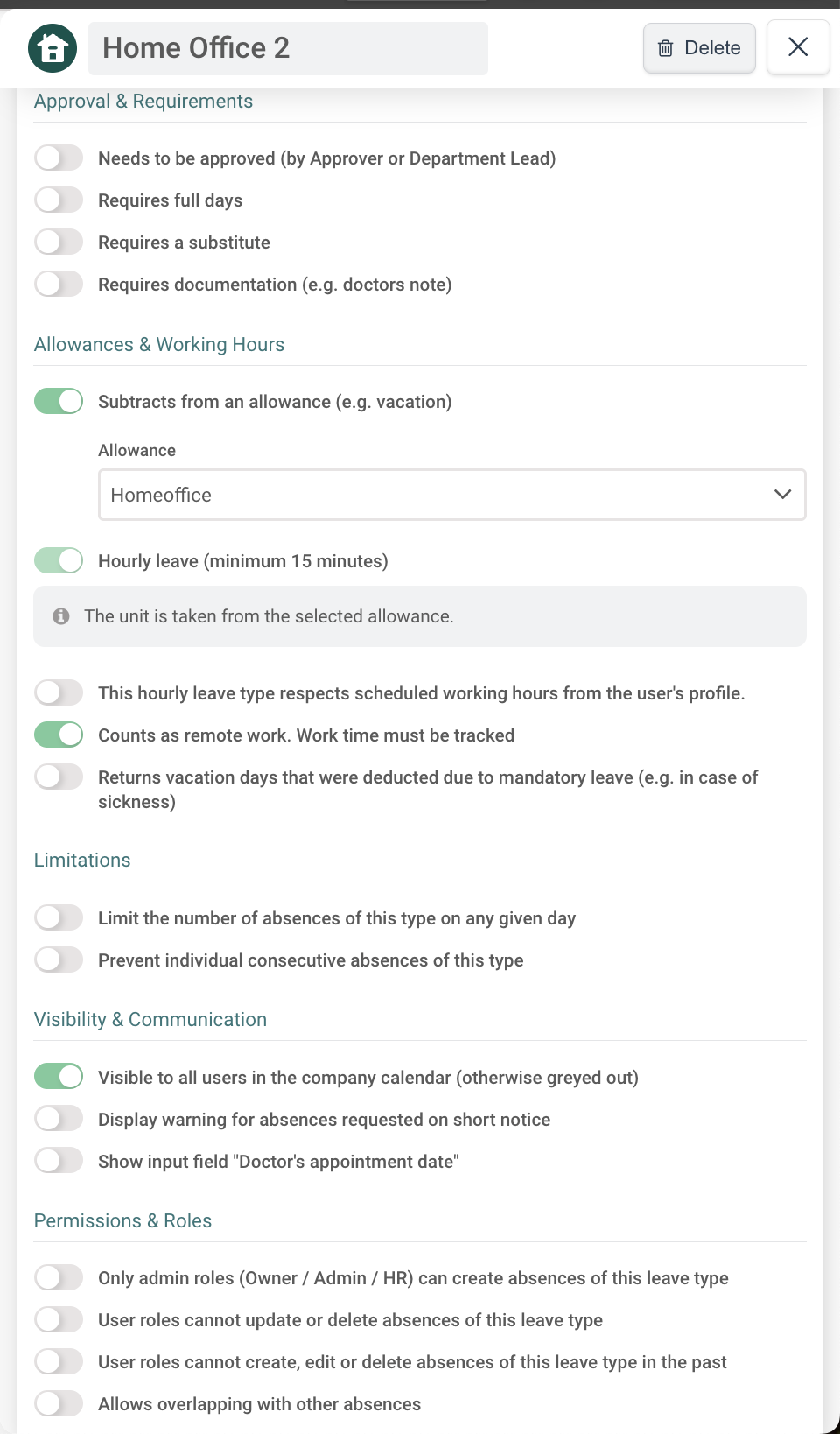
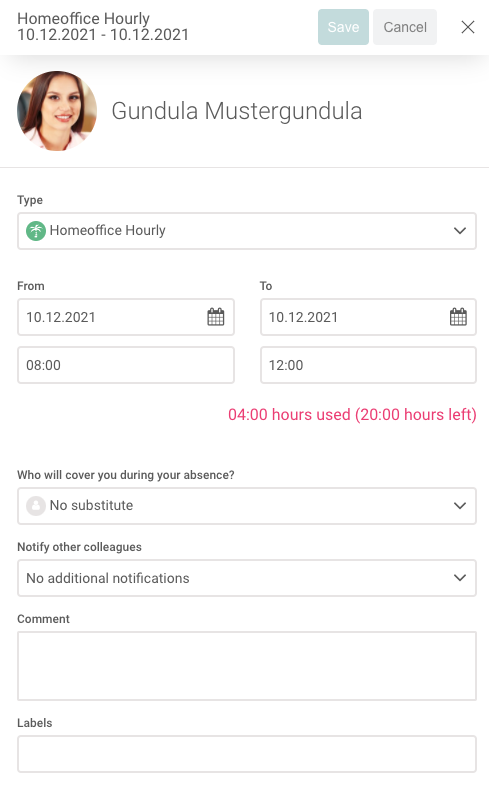
Now, every time an employee creates an absence with the Leave Type "Homeoffice Hourly", these hours are deducted from the allowance "Homeoffice hourly":
Hourly absences can of course be used not only for Homeoffice, but also for other absences that should be tracked quite accurately.