.png?width=210&height=44&name=Design%20ohne%20Titel%20(2).png)
We offer you the choice of (almost) every holiday worldwide in our app. Finally, no more manual bookings have to carried out, because you can choose your national holidays from our list of more than 200 countries.
How to do it?
Go to "Settings" > "Locations & Holidays". Select your location and then press the "Edit holidays" button. When clicking on the country dropdown there, you can choose your country and in some cases even the federal state or region from the list:
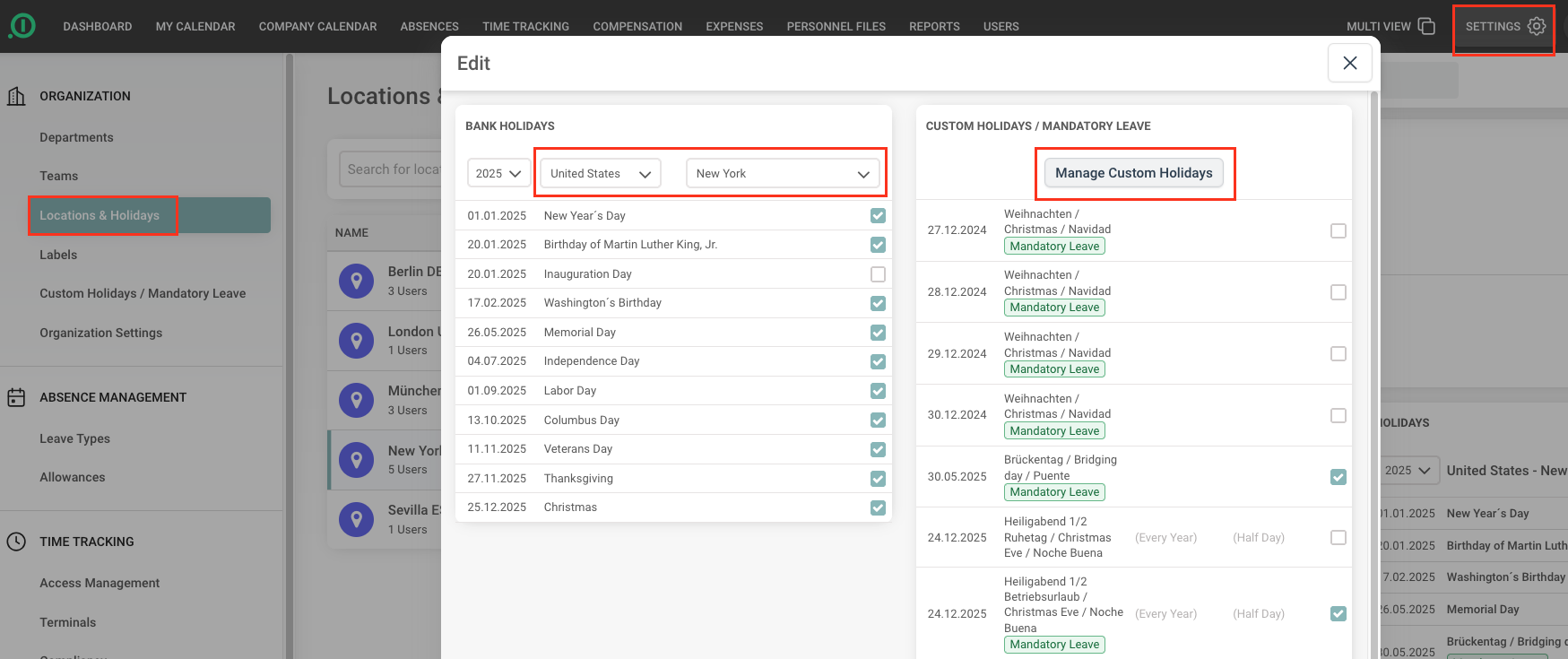
In case one holiday is not scheduled and another is, you can activate or deactivate the holidays with a simple click in the check-box. If a holiday is missing, you can enter it quickly and easily via the "Manage Custom Holidays" button on the right.
So no holiday will be lost!
Have fun with our solution!
Your absence.io Team