.png?width=210&height=44&name=Design%20ohne%20Titel%20(2).png)
If you want certain fields to be mandatory for the user to add before he/she submits the report, then add this setting: Go to the tab Settings - Expense management - Expense categories - Edit more input fields.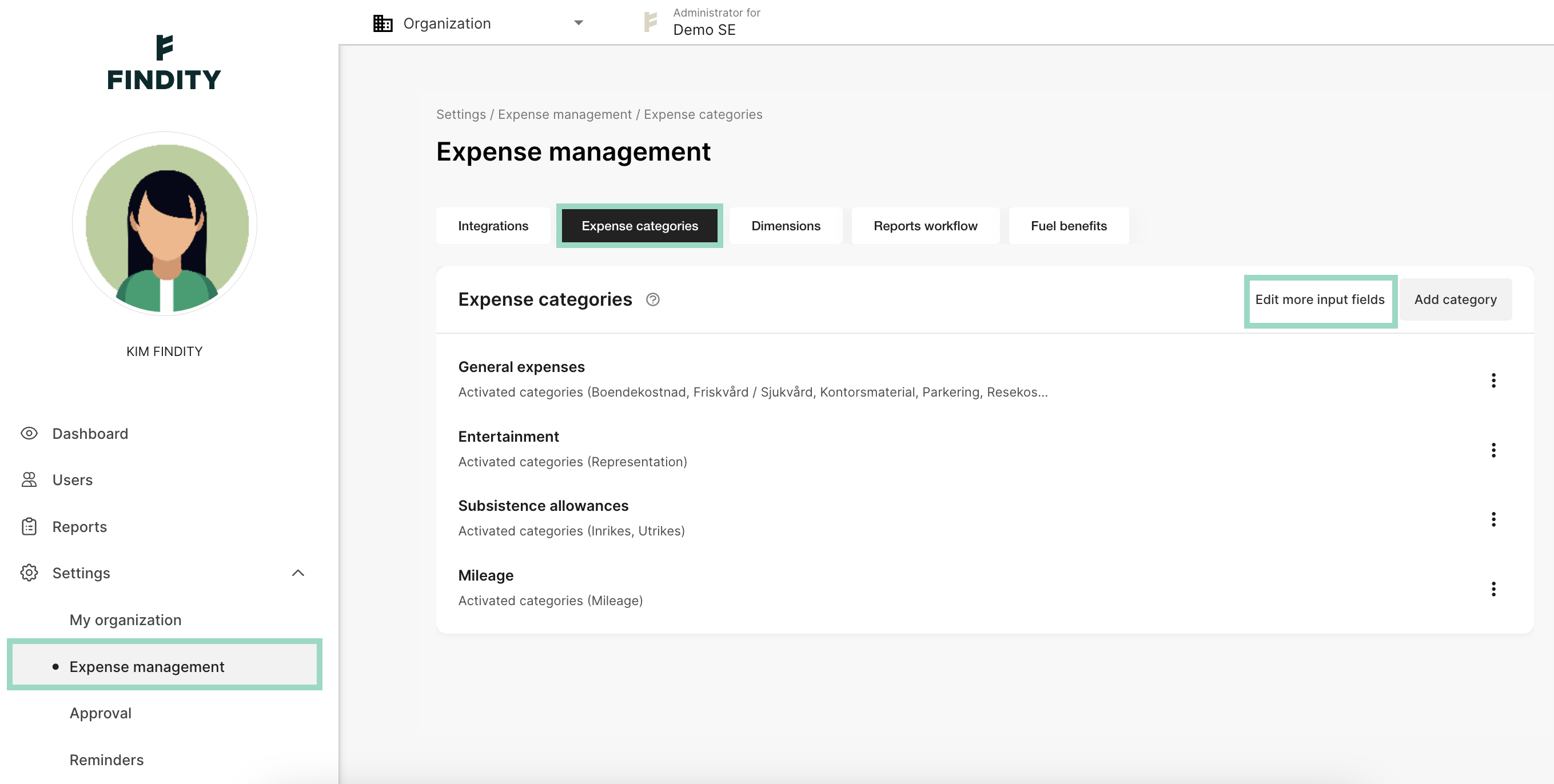
Choose what should be Visible and what should be Mandatory for the user. Remember to Save your changes. 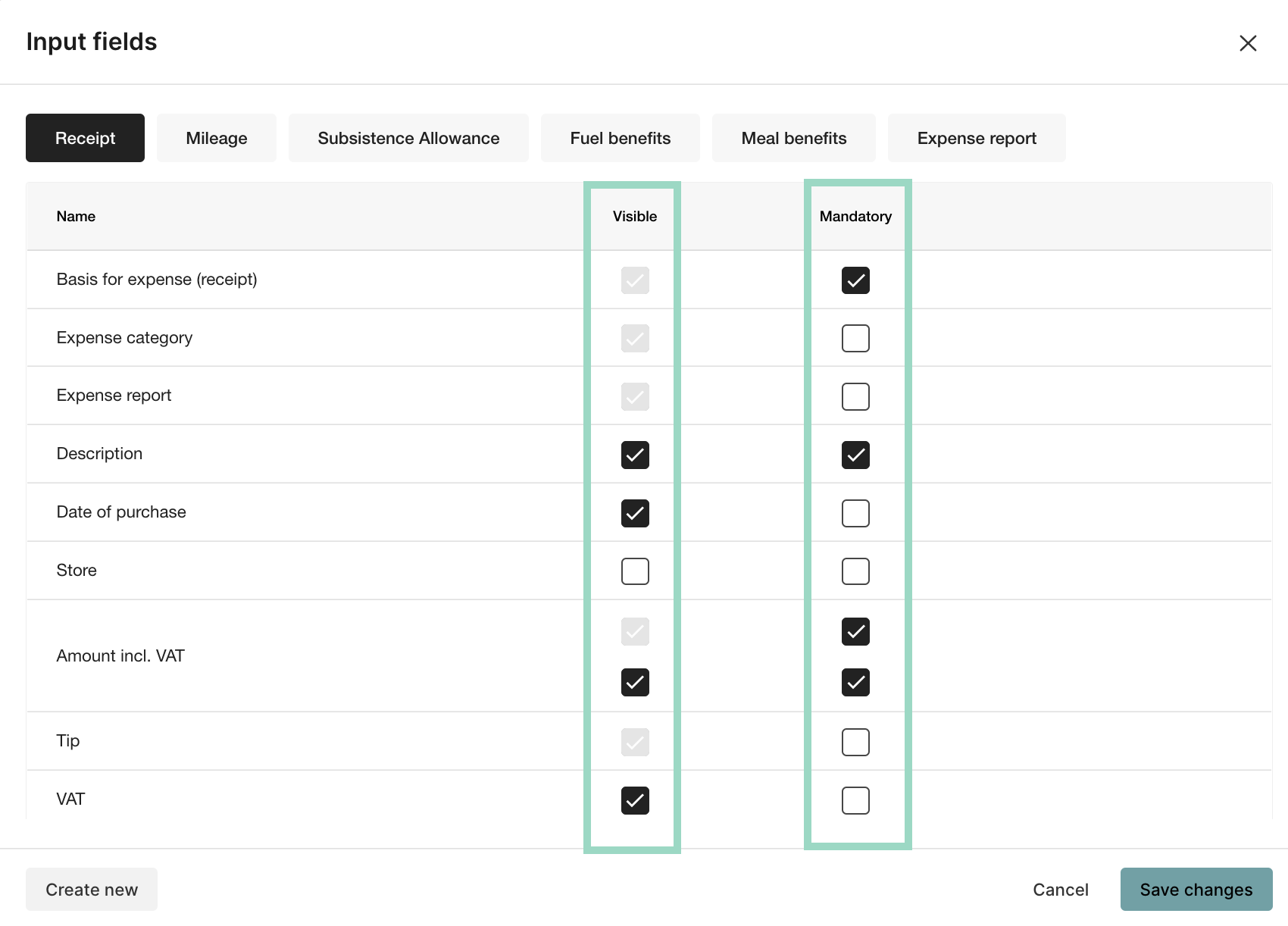
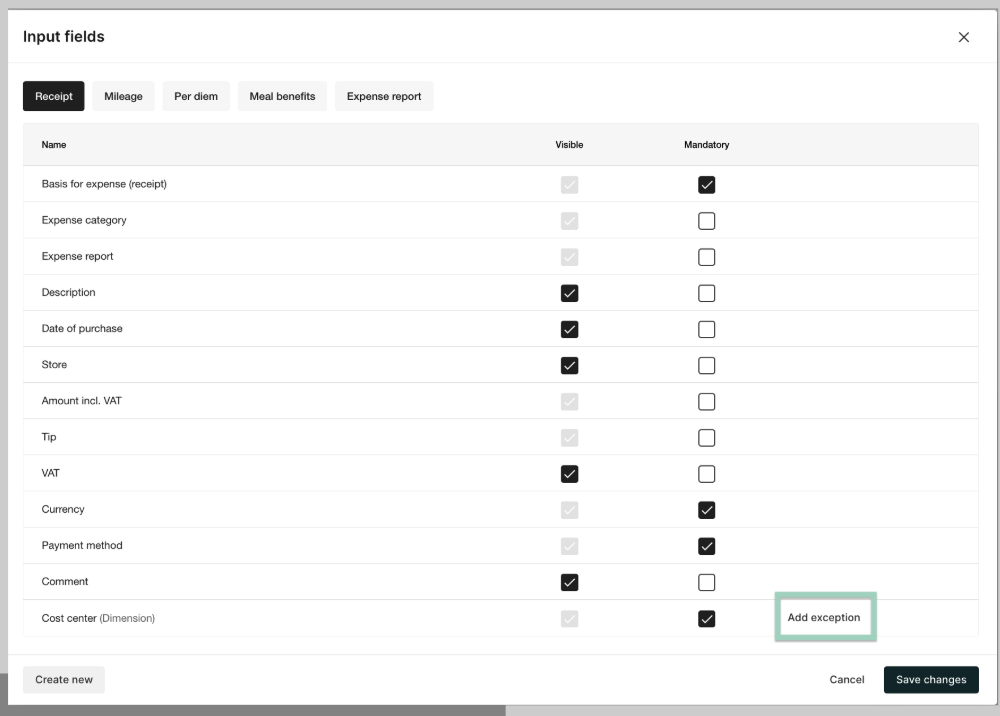
You can also exclude specific expense categories by clicking on “Add exception” in the respective column. This button appears when you hover over the column.